LogVoice
Making a voice-first sales tool as simple as the job it replaces.
- LogVoice, voice lead capture for field sales teams
- Brand identity, marketing website, mobile app interface, AI capture pipeline
- 99Labs product. Designed, built and operated in-house.
The problem is
not the recording.
A rep finishes a site visit, gets back in the truck and faces a choice: type the details into a CRM now, or promise to do it tonight. It is usually tonight, and by tonight the details are thinner. Leads go cold in the gap.
LogVoice removes the typing. The rep records a short voice note, the app turns it into structured lead fields, the rep checks and approves them, and the lead lands in the team’s shared Google Sheet, and in HubSpot, Zoho or Pipedrive if the manager has connected one.
The mechanism worked. The presentation did not match it: an earlier interface heavier than the task, and a store listing and website that each spoke slightly differently.
Record. Review.
Confirmed.
Four steps, in the order a rep meets them.
Select any screen to see it full size.
The home screen has one job and one control.
A short note, spoken the way the rep would say it to a colleague.
Only the fields about to change. Each one confirmed by hand.
The lead is written to the shared sheet and any connected CRM.
Three decisions that shaped it
Name the system, then use it everywhere
One direction, Quiet Confidence: warm paper, grounded teal, an editorial serif for headings and a plain sans for the interface. The same palette and type run through the app, the website and the store listing, so the product looks like one thing.
Design the review, not the recording
Talking is easy. The hard moment is trusting what the app heard. The review screen shows only the fields about to change, hides the empty ones, and marks each one as confirmed, so approving a lead takes a glance, not an audit.
Two modes, one identity
Daylight for a truck cab in July, evening for a phone at nine at night. Same structure, same hierarchy, different surface, rather than a dark theme bolted on at the end.
The difference,
side by side.

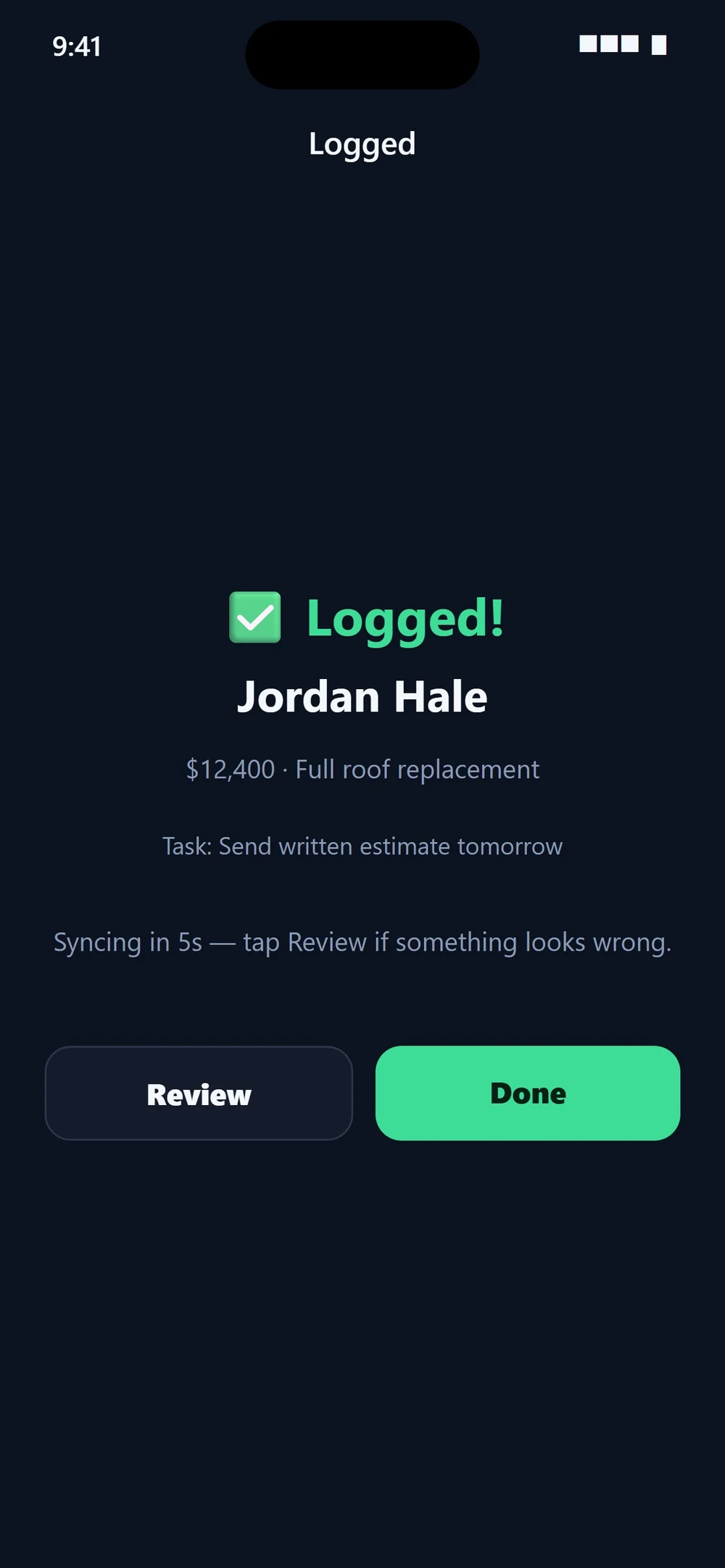

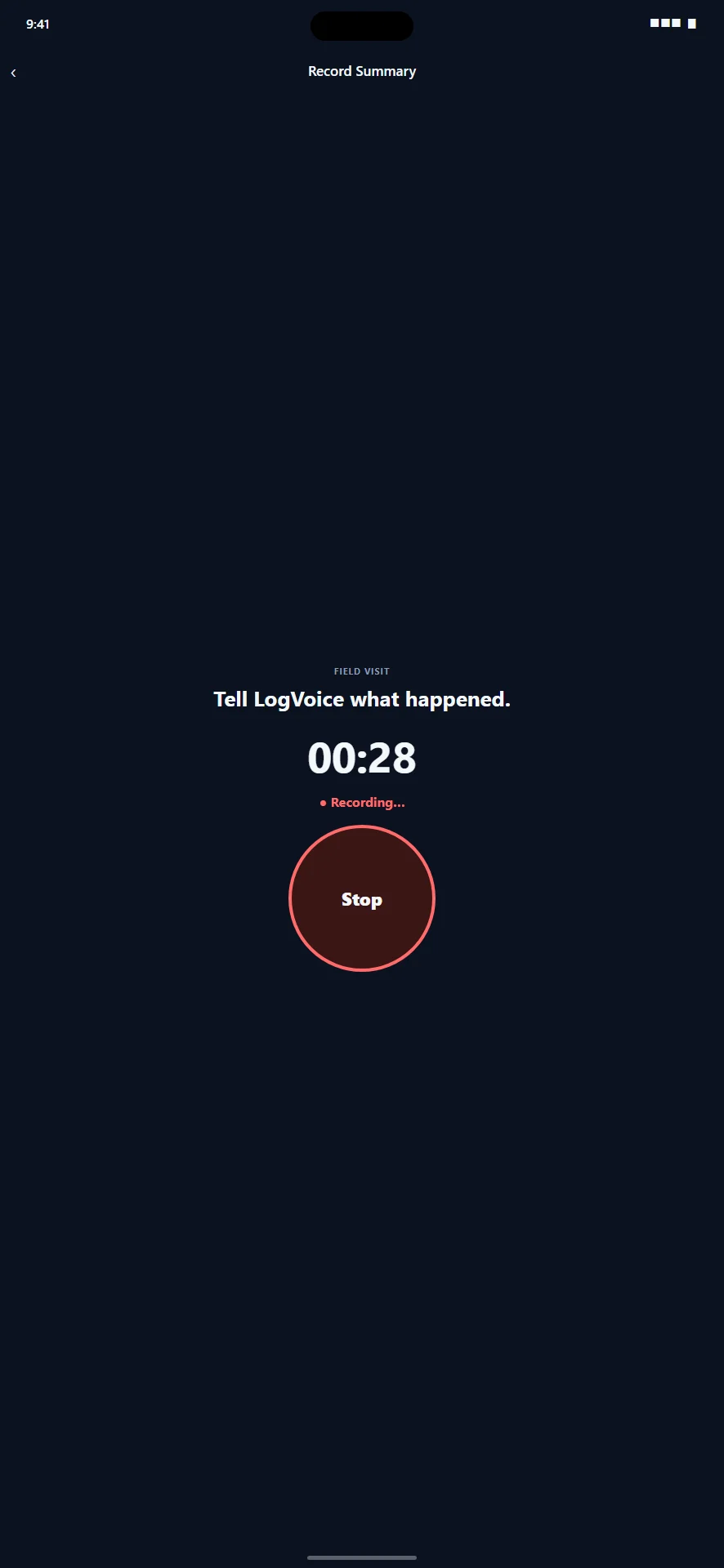
Before: the live United States App Store listing for LogVoice, version 1.1.0, retrieved 30 August 2026, plus one screen from the earlier design archive. After: the current design. Example data differs between screens, and the current screens do not imply that the store listing has been updated. View the App Store listing
The same voice,
beyond the app.
The website carries the same two modes and the same type pairing as the product, so someone who reads the site and then opens the app is not meeting two different companies. Headings are set in Fraunces; the interface stays in Inter.
Identity and palette
Two surfaces, one identity: warm paper and ink for daylight, charcoal and cream for evening, with a grounded teal carrying every action in both.
Built, not just
drawn.
The design work and the engineering are the same practice, which is why the interface and the pipeline agree with each other.
- Mobile appExpo and React Native, iOS and Android from one codebase.
- Capture pipelineSpeech to text, then extraction into named lead fields, with the rep approving before anything syncs.
- Data and deliverySupabase for accounts, teams and logs. Google Sheets for the shared team record.
- IntegrationsHubSpot, Zoho CRM and Pipedrive, connected by the manager.
- Team modelA manager creates a team with a join code, sees every log, and is emailed when one syncs. Reps see their own.
What this case study
shows, and what it does not.
It shows identity, interface and implementation decisions, and the difference between the earlier presentation and the current one.
It does not claim measured conversion, revenue or adoption results, and the new screens do not mean the public App Store listing has been updated. When there are measured results worth publishing, they will be published with their method.